|
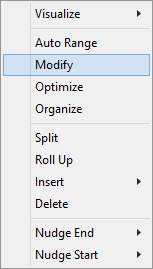
Fusker Collection View Menu:
|


 Modifying The Collection Name or Domain Access
The top most layers of any fusker collection contain the collection and domain access segments.
The ability to save and load different fusker collections is one feature which separates Image Surfer Pro
from the Favorites Toolbar in Internet Explorer. Image Surfer Pro allows you to have separate
fusker collections for different types of data and gives you flexibility on how you group and manage the
references. It may be a list of the files you found at a particular time, or describe an event, person,
or place. When you choose Save As... from the
 menu on the Image Surfer Pro toolbar the fusker collection name will be used as the default file name.
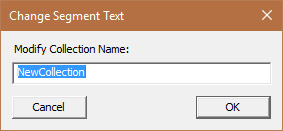
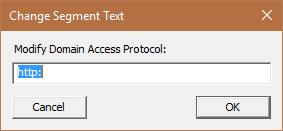
When the fusker collection itself is selected and you use Modify, you will see a dialog where you can change the name of the fusker collection. With a domain access segment selected you are changing the protocol used by Internet Explorer to reference the files. Changing a protocol path segment is not recommended.
| Modifying The Collection Name | Modifying The Domain Access | |
|---|---|---|
|
|


 Modifying The URL Path
Collection and domain access segments contain only a single text string, while all other segment types contian data associated with the URL path:
-
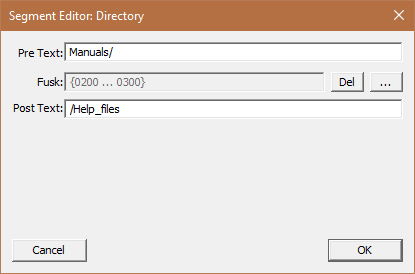
Pre Text:
This portion of the segment is a set of characters which represent the first characters in the segment’s text. -
Fusk:
This is the portion of the segment which can be represented by a series of numbers or a list of strings. It is the portion of the segment which can reference multiple files or multiple directories with similar names. -
Post Text:
This part of the segment is the character string which follows the fusk in making the full text of the segment.
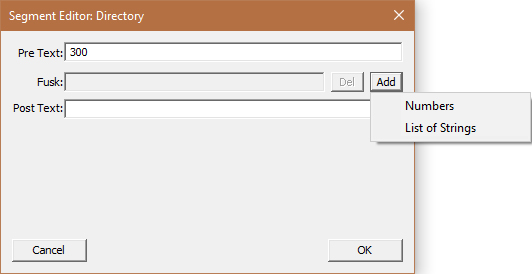
When you modify one of these segments the Segment Editor window allows you to modify each part of the URL path data.
|
Edit the text in the Pre and Post Text fields as you would any normal text field. You can copy and paste text into
these fields via the standard Ctrl-C (copy) and Ctrl-V (paste).
You may use the Del button next to the fusk text to remove any existing fusk. If a segment is not already fusked, the second button will say Add rather than …. You can not directly edit the text in the Fusk display, instead clicking the ... will bring up the correct editor for how the segment is fusked. If you are adding fusk to the segment you will have the choice between Numbers and List of Strings from the Add Menu. When you have made any changes you wish to keep the OK button will save the change within your fusker collection. The Cancel button will allow you to exit the modify operation without any of your changes taking effect (including any fusk changes). More information about modifying fusking data is available for either type of fusk: |
Modifying A Video Poster
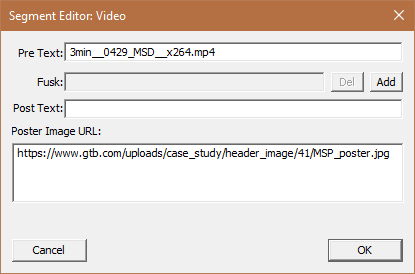
Video segments have an associated poster image URL which may be modified.
|
The poster image of a video is used as an overlay for the video and as the gallery reference guide pages
Typically it will be set when the video is added to the collection. It should be a fully qualified URL
an existing image file. If the image file doesn't exist or the field is left blank videos will appear as
black boxes on the gallery pages. If the field is not blank but the image file does not exist, a missing
image block will be seen on guide pages.
There is only one poster image URL per video segment. If a video segment is fusked, the same poster image will be used as the overlay for each of the videos. Edit the text in the poster image text field as you would any normal text field. You can copy and paste text into it via the standard Ctrl-C (copy) and Ctrl-V (paste). |
Modifying A Text Deacription
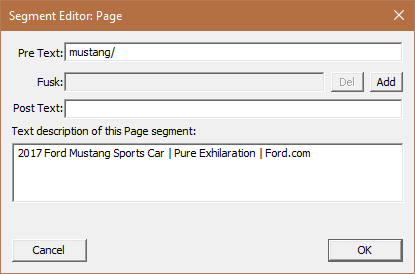
Frame and page segments have a text description which may be modified.
|
The description of a frame or page is seen on both guide and gallery pages. On guide pages it is used as a
link to the gallery page which displays the file. On gallery pages it is shown above the actual frame
as part of the warning. The description is used for all of the files in a fusked segment.
You may include HTML tags in the description field for rendering by IE on both guild and gallery pages. For example use the HTML <br />to insert a line break within the text. Edit the text in the text description field as you would any normal text field. You can copy and paste text into it via the standard Ctrl-C (copy) and Ctrl-V (paste). You may use ENTER to separate lines in the edit box, but the line break will not be visible on the guide or gallery pages. |
Modifying A Frames Display Size
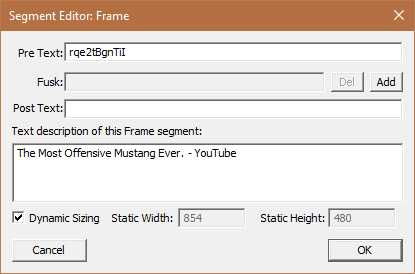
Frame segments are unique in that you may control their presentation size individually
|
The sizing information for a frame segment directly sets the size of the IFrame object the data stream
will be rendered into. In most cases the height and width will be set when the frame is added to the fusker
collection. Some frames will not scale and display at a fixed resolution. In these cases, if the window is
too small only a portion of the data stream will be visible; too large and there will be a black boarder.
Frames which render video will often scale, but if the frame is too large the video may be blurry.
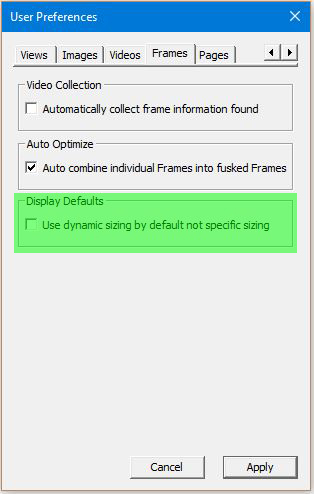
Dynamic sizing will set the frame size to the size of the Internet Explorer display window at the time the page is created, but the frame will not resize with the browser window. A fixed width and height is best used for content that doesn't scale or becomes blurry when scaled up. |